

 Hi,
Hi, 











Office and Windows Productivity Software Program


Program

Office and Windows Productivity Software Program
Master the essentials of modern office productivity. This beginner-friendly program builds skills in word processing, spreadsheets, email, and collaboration tools, helping you work efficiently, confidently, and professionally in any workplace.
Flexible Schedule
Beginner Level
Mentor Support

Estimated Time
2 months
2 hours/week

Office productivity software is central to how work gets done in most organizations today. Proficiency in tools like word processors, spreadsheets, email platforms, and collaboration apps is essential for working efficiently and professionally. Strengthening these skills can significantly improve your performance and make you more competitive in the job market.
This beginner-friendly program introduces you to the most commonly used tools in today’s workplace. You’ll start by learning how to navigate the Windows operating system, manage files and folders, and install or remove applications. You’ll then explore a wide range of office productivity tools, manage emails and calendars, create and format business documents, design presentations, work with data in spreadsheets, and collaborate using messaging platforms like Microsoft Teams.
Overall, in this program, you’ll build practical, job-ready skills to navigate the digital tools used in today’s workplace. Whether you’re entering the workforce, returning after a break, or simply looking to sharpen your skills, this program helps you work more efficiently and confidently in any office setting. It’s part of a broader series designed to strengthen your digital fluency and workplace readiness.
This Program comprises 6 purposely designed courses that take you on a carefully defined learning path.
It is a self-paced program, which means it isn’t run to a fixed schedule with regard to completing courses or submitting assignments. To give you an idea of how long the program takes to complete, it is anticipated that if you work 2 hours per week, you will complete the program in 2 months. However, as long as the program is completed before the end date, you can work at your own pace. The materials for each course module will become available when you start the particular course.
You can choose to enroll for the complete certification program in one go, or sign up for individual courses one at a time. Each course that you complete will take you a step closer to acquiring the Certificate. And it’s worth noting that some courses may also qualify for other learning paths.
As part of our mentoring service you will have access to valuable guidance and support throughout the course. We provide a dedicated discussion space where you can ask questions, chat with your peers, and resolve issues.
Once you have successfully completed the program, you will earn your Certificate of Completion.
- Build foundational knowledge of software tools commonly used in office settings
- Learn the tips, tricks, and best practices they need to succeed at using office productivity software tools
- Attain practical, hands-on skills in these tools enabling you to succeed in an office environment
- Navigate the Windows desktop, manage files and folders, and install and remove applications
- Office workers, administrative assistants, and anyone whose role involves frequent communication, scheduling, and coordination.
- This specialization is open to anyone with any job and academic background.
Program Outline
Get confident with Windows in this beginner-friendly courselearn to manage files, install apps, use key features, and navigate shortcuts with ease.
Topic Covered:

Window Fundamentals
Office Productivity Software
Course ID : course-v1:SkillUp+OP0101EN+2025_V1

You can choose to enroll for this individual course. Click here to see course details.
Boost your confidence and productivity with essential workplace skills tailored for beginners.
Topic Covered:
Mail App Fundamentals
Calendar App Fundamentals
Working with Mail and Calendar Apps
Course ID : course-v1:SkillUp+OP0102EN+2025_V1
You can choose to enroll for this individual course. Click here to see course details.
Master the essentials of word processingcreate, format, and edit documents with clarity and impact.
Topic Covered:
Word Processing Application Basics
Working with Word Processing Applications
Course ID : course-v1:SkillUp+OP0103EN+2025_V1
You can choose to enroll for this individual course. Click here to see course details.
Learn to create, customize, and deliver compelling presentations using modern tools and design features.
Topic Covered:
Presentation Application Basics
Working with Presentation Applications
Course ID : course-v1:SkillUp+OP0104EN+2025_V1
You can choose to enroll for this individual course. Click here to see course details.
Get started with spreadsheets and build essential Excel skills to boost your workplace productivity.
Topic Covered:
Spreadsheet Application Basics
Working with Spreadsheet Applications
Course ID : course-v1:SkillUp+OP0105EN+2025_V1
You can choose to enroll for this individual course. Click here to see course details.
Build essential skills to communicate, share, and collaborate using tools like Microsoft Teams.
Topic Covered:
Messaging and Collaboration Application Fundamentals
Working with Messaging and Collaboration Applications
Course ID : course-v1:SkillUp+OP0106EN+2025_V1
You can choose to enroll for this individual course. Click here to see course details.

Trusted by 500K+ active Learners & Professionals across 15 countries
Real Learners. Real Outcomes.
Hear directly from our learners about how our training has transformed their lives.
Why Learn with SkillUp Online?
We believe every learner is an individual and every course is an opportunity to build job-ready skills. Through our human-centered approach to learning, we will empower you to fulfil your professional and personal goals and enjoy career success.

Reskilling into tech? We’ll support you.
Upskilling for promotion? We’ll help you.
Cross-skilling for your career? We’ll guide you.

Personalized Mentoring & Support
1-on-1 mentoring, live classes, webinars, weekly feedback, peer discussion, and much more.

Practical Experience
Hands-on labs and projects tackling real-world challenges. Great for your resumé and LinkedIn profile.

Best-in-Class Course Content
Designed by the industry for the industry so you can build job-ready skills.

Job-Ready Skills Focus
Competency building and global certifications employers are actively looking for.
FAQs
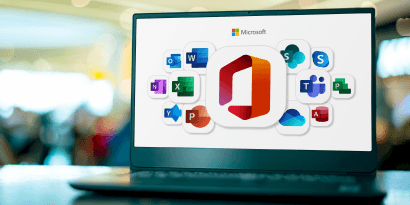
Office productivity typically relies on tools for word processing, spreadsheets, presentations, communication, and file management. This program focuses on the most widely used suite—Microsoft Office—which includes Word, Excel, PowerPoint, Outlook, and Teams, all essential for modern workplace efficiency.
The five most widely used office tools are:
- Word processors (e.g., Microsoft Word)
- Spreadsheets (e.g., Microsoft Excel)
- Presentation software (e.g., Microsoft PowerPoint)
- Email and calendar tools (e.g., Microsoft Outlook)
- Collaboration platforms (e.g., Microsoft Teams)
Our program offers practical Microsoft Office training on these tools, including applied exercises to reinforce what you learn.
Yes. Digital productivity is a basic expectation in nearly every office-based role today. Completing Microsoft Office courses helps you build the skills employers look for, and a certificate of completion demonstrates your commitment to being workplace-ready—particularly helpful for career transitions or upskilling.
Microsoft Office and Google Workspace serve similar purposes, but Microsoft Office is often preferred for its advanced features, offline functionality, and wide industry adoption. This program focuses specifically on Microsoft Office training, helping you get comfortable with the tools most employers expect proficiency in.
Strong Microsoft Office skills are required for roles such as administrative assistants, data entry clerks, project coordinators, sales associates, and HR support staff. Many companies also look for candidates who have completed Microsoft Office courses with certificate validation or who hold Microsoft Office certifications.
Yes. Upon completing all modules, quizzes, and hands-on exercises, you will receive a certificate of completion from our program. While this is not an official Microsoft Office certificate, it confirms your foundational skills and readiness to use these tools in professional environments.
This course is an excellent starting point for anyone considering official Microsoft Office certifications. While it does not include a certification exam, the skills you develop here can support further preparation for Microsoft Office Specialist certification or other credentialing paths if you choose to pursue them separately.

Type of certificate
Certificate of Completion

About this program
06 Courses
24 Skills

Includes
Discussion Space
18 Hands-On Labs
13 Practice Quizzes
06 Graded Quizzes

Create
Files and Folders
Microsoft 365 Account
Email Fundamentals
Calendar Fundamentals
Documents in Word Online
Templates and Collaborating in Word Online
Presentations in PowerPoint Online
Templates and Charts in Excel Online

Exercises to explore
Getting Started with Zoom
Working with Microsoft Teams
Windows Desktop & Apps
Junk Mail & Contacts in Outlook
Getting Started with Word, PowerPoint, Excel Online
Newsletters & Updates
Subscribe to get the latest tech career trends, guidance, and tips in your inbox.