

 Hi,
Hi, 











Foundations of Internet of Things (IoT)


Program
Foundations of Internet of Things (IoT)
Ready to discover how IoT can help improve your business? Learn how IoT is helping businesses discover opportunities, gain market share, improve customer satisfaction, and increase profits in this introductory course.
Flexible Schedule

Estimated Time
12 weeks, online
4-6 hours/week
4-6 hours/week

This course provides students with an introduction to IoT and covers the concepts, terms, and patterns of an IoT solution.
The program is divided into seven courses, each of which builds on what was covered previously. The first module focuses on what an IoT solution is and provides an introduction to the industry verticals that are using IoT to achieve business goals. In the second module, students will learn about the architectural components of an IoT solution, both on the device side and in the cloud. The third module covers the steps and approaches for evaluating and implementing IoT in your business. The final module investigates how real-world IoT solutions are being implemented in various industries and describes some of the different approaches that can be taken.
After completing this course, students will be able to identify and articulate IoT business opportunities across a broad spectrum of industries.
Before starting this course, students should have a basic idea of how cloud computing works and general understanding of what IoT is.
The program includes seven courses, and several contain lab activities.Course 1: Getting Started with the Internet of Things Course 2: Introduction to Device Programming: C Edition Course 3: IoT Device Configuration and Communication: C Edition Course 4: IoT Data Analytics and Storage Course 5: Business Intelligence for IoT Solutions Course 6: Predictive Analytics for IoT Solutions Course 7: IoT Architecture Design and Business Planning
Program Outline
About the Program
Student Expectations and Other Requirements
Vid
Unit
Accessing the Labs
Welcome
Getting Around This Course
Course Overview
Video - Module Introduction - IoT in Industry
Introduction to IoT
The IoT Revolution
IoT for Consumer and Businesses
Strategies for Implementing IoT
Business Models for IoT
Videos - IoT Business Verticals
IoT Business Scenarios
IoT For Manufacturing
IoT For Healthcare
IoT For Retail
IoT For Smart Cities and Buildings
IoT For Transportation and Logistics
Exam Mod 1
Video - Module Introduction - Introduction to IoT Solution Architecture
Core Subsystems of an IoT Architecture
Optional Subsystems of an IoT Architecture
Cross-Cutting Architectural Concerns
Data Flow and Processing
IoT Security Overview
IoT Threat Modeling
Device Security
Connection Security
Cloud Security
Security Best Practices
IoT Security Risks and Incidents
Exam Mod 2
Video - Module Introduction - Approaches to an IoT Implementation
IoT Hardware
IoT Device Software
Cloud Service Components of an IoT Solution
IoT Implementation Patterns
IoT Solution Accelerators
Implementing IoT Devices
IoT Cloud Services: The Azure IoT Hub
IoT Hub Messaging
IoT Device Configuration
Introduction to IoT Data Analytics and Storage
IoT Business Intelligence using PowerBI
Exam Mod3
Video Module Introduction - Real-World IoT Scenarios
IoT Scenarios for Manufacturing
IoT Scenarios for Smart Cities
IoT Scenarios for Smart Buildings
IoT Scenarios for Energy
IoT Scenarios for Healthcare
IoT Scenarios for Retail
IoT Scenarios for Transportation
IoT Scenarios for Agriculture
Exam Mod 4
1--Final Exam
Course Overview
Welcome to Embedded Device Programming
Categories of Embedded Devices
Download and Install Visual Studio Code
The C Programming Language
C Programming Basics
Data Types and Variables
Loops and Conditional Structures
Device Inputs and Outputs
Breadboards and Simple Circuits
Overview of Raspberry Pi
Pin Types on the Raspberry Pi
Pin Inputs and Outputs
LEDs
Lab - Build the Blinky Circuit
Log Files: Using Python to Process Log Files from IoT Devices
Assessment
Circuits and Circuit Diagrams
Sensor Devices
Sensor Data Signals
Communication Protocols
Assessment
Video Photo Cell Devices
Video Code Debuggers
Final Exam
Course Overview
Deployment models, OSI layers, network topologies, and connection types
Mapping connectivity protocols to the OSI/TCP IP stack
Module Introduction - Configure a Cloud Gateway and Devices
Accessing the Lab
Cloud Gateway - Azure IoT Hub
Create an Azure Dashboard and Resource Group
Create an IoT Hub using the Azure portal
Examine the IoT Hub Service
Launch Module 3-2 - Creating Your Cloud Gateway - Lab
Video Hardware in IoT Solutions
MXChip IoT DevKit Web Simulator – Shake, Shake Project
DEV297xLib Mod1Lab3
The Different kind of Actuators
Interfacing actuators to microcontrollers
Video Module Introduction - Implement Device Communications
IoT SDKs
Explore how the IoT Hub Supports Device Communication
Explore Messaging Security and Certificates
Video Secure Communication
Video Introduction to Device Configuration and Management
Device Twins - Tags and Device Properties
Video - Device Twins
Accessing the Lab
Video - Azure CLI Tools for IoT
Video - Overview of Device Security
Manage an IoT Hub using the Azure portal
Lab - Configuring and Securing IoT Hub Devices
DEV297xLib Mod2Lab3
Video Module Introduction - Manage Your IoT Hub and Devices
Video Device Provisioning and the Device Provisioning Service
Explore the Device Provisioning Service
The Device Provisioning Service
Accessing the Lab
Configure Cloud Resources for Device Provisioning with DPS
Set Up a Device to Provision using DPS
Provision a Device to IoT Hub using DPS
Launch Module 3.4 - Manage your Device - Labs
Accessing the Lab
Configuring IoT Hub Endpoints
Configuring Routes
Explore IoT Hub Metrics
Video - Migrate from Operations Monitoring to Diagnostics Settings
Launch Module 3.4 - Managing IoT Hub Operations - Lab
Power sources, power consumption and microcontroller modes
Methods to reduce, reuse and recycle IoT devices and components
DEV297xLib Mod3Lab3
Video Module Introduction - Develop Real-World Device Applications
Review the Solution Architecture
Review Telemetry Requirements
DEV297xLib Mod4Lab1
Video Azure Storage Options
Introduction to Data Storage
Accessing the Lab
Archive MXChip Telemetry Data to Azure Storage
Launch Module 3-5 - Develop Real-World Device Applications - Lab
Final Exam
Course Overview
Video - Module Introduction - Warm Storage
Accessing the Lab
Provision Cosmos DB
Streaming Analytics
Streaming Raspberry Pi Simulator Data into Cosmos DB
Launch Module 4.1 - Getting Started with Warm StorageLab
Cosmos DB and Business Systems Integration
DEV326xLib Module 1
Module Introduction – A deeper look at Stream Analytics
Module 4 setup
Accessing the Lab
Azure Stream Analytics
Analyze fraudulent call data with Stream Analytics and visualize results in Cosmos dB
Launch Module 4.2 - Constructing Analytics Queries Lab
Video - IoT Hub Device Management
VS Code and IoT Hub Toolkit
Create Back-End App
Change IoT Properties Analytics
DEV326xLib Module4
Final Exam
Course Overview
Video Analysis tools for streaming data
Introduction to Time Series Insights through the sandbox environment
Working with the Time Series Insights Explorer
Video Characteristics of Time Series Data
Course Business Scenario
DEV312xLib Mod1
Create a Power BI Account
Install Power BI Desktop
Get data with Power BI Desktop
Video Power BI in context
Transforming Data
Filtering queries
Shaping data with queries
Formatting data
Video Model vs Query
Creating relationships between queries
Using formulas
Creating hierarchies
Using measures
Visualization Basics
Reports
Power BI Dashboards
Using Quick Insights
DEV312xLib Mod3
Video Power BI real-time analysis capabilities
Video Real-time datasets
Video Analysis in an IoT architecture
DEV312xLib Mod4
Final Exam
Course Overview
Video - Introduction to Machine Learning
Video - Machine Learning Algorithms (The Art of Questioning)
Video - Predictive Maintenance Scenarios for IoT
Video - Modes of Failure that can be Predicted
Video - Wind Farm Scenario
Video - Machine Learning in Azure
Video - Azure AI Services
Video - Azure AI Tools
Video - Azure AI Infrastructure
Jupyter Notebook - Microsoft's Predictive Maintenance Modeling
Module 1 Assessments
Jupyter Notebook - Explore IoT Data with Python
Module 2 Assessments
Feature Engineering Overview
Feature Selection
Module 3 Assessments
Final Exam
Course Overview
Install Applications
Install Visual Studio Code
Install Node.js
Install Git for Windows
Install Docker
Install the Azure CLI
Postman
Install the Azure IoT Extensions
Install .NET Core
Install Azure PowerShell Module
Understanding the Azure IoT Reference Architecture Introduction
Videos (8) - Introduction to IoT Planning
Video Introduction To Architecture
Video Understanding the Azure ioT Reference Architecture
Why the Cloud
Videos (7) - Introducing Things
Introducing Insights
Video - Introducing Actions
Assessment 7.1 - 1
Azure IoT Reference Architecture Introduction
Video (3) - Introduce Core and Optional Sub Systems
Create an Architecture Diagram for a Use Case
Video - Introduce Cross-Cutting Concerns
Video - Introduce IoT Security
Video - Threat Modeling the Azure IoT Reference Architecture
Video - Microsoft Threat Modeling Tool 2016 Review
Video - Azure IoT Security
Perform a Threat Modeling Exercise using STRIDE
Assessment 7.1 - 2
Pillars of Software Quality Introduction
Video - Introduce the Pillars of Software Quality
Video - Design Principles - Managed Services
Video - Design Principles - Storage Considerations
Video - Design Principles - Design for Scaleout
Video - Design Principles - Design for Operations
Video - Design Principles - Design for Redundancy
Video - Evolving Data Handling in IoT Solutions
Video - Cold Path Storage Options
Assessment 7.1 - 3
Remote Monitoring Solution Accelerator Introduction
Video - What is an Azure IoT Solution Accelerator
Video - Remote Monitoring Solution Accelerator Overview
Video - Guided Tour of the Remote Monitoring Solution
Assessment 7.2 -1
Customize a Solution Accelerator Introduction
Video - Why Customize a Solution Accelerator?
Video - Designing for Azure Compute
Assessment 7.2 -2
Video - Introduction to IoT Edge
IoT Edge Pattern
Connected Factory and IoT Introduction
Video - What is Industry 4.0?
Video - What is OPC UA?
Video - What is RAMI 4.0?
Video - Industrial Automation and IoT
Video - Azure IoT and Smart Manufacturing
Connected Factory Component Walkthrough
Assessment 7.2 -3
Understanding Requirements Introduction
Videos (3) - Introduction to Requirements Gathering
Video - Identifying Architecturally Significant Requirements
Video - What are Quality Attributes?
Categorize Requirements
Assessment 7.3 -1
Understanding an RFP Introduction
Introduction to Contoso Manufacturing Business Case
Videos (3) - Introduction to RFPs
Videos (3) - Mapping Requirements
Extract Requirements
Video - Mapping Requirements to Azure IoT
Video - Working With the Client
Videos (2) - Calculating Solution Costs
Assessment 7.3 -2
Videos(2) - Section Introduction
Accessing the Lab
Create an IoT Hub and Configure DPS
Create IoT Hub Device Provisioning Service
Launch Module 7.4 Planning a PoV Lab
Evaluating PoV
Assessment 4.4 -1
Video - Azure Resource Manager
Video - Create a Template in the Azure Portal
Videos(4) - Azure IoT Security Best Practices
Assessment 7.4 -2
Scaling to Needs Introduction
Video - Introduction to Azure Monitor
Azure IoT and Autoscale
Videos (7) - Scaling IoT Hub
Videos (2) - Scaling Stream Analytics
Assessment 7.4 -3
Legal Compliances
Electromagnetic Compatibility (EMC)
The IBM Cloud
IBM Cloud Internet of Things
Device Simulation with IBM Cloud
IOT Node Red with IBM Cloud
Final Exam
Certificate

Trusted by 500K+ active Learners & Professionals across 15 countries
Real Learners. Real Outcomes.
Hear directly from our learners about how our training has transformed their lives.
Why Learn with SkillUp Online?
We believe every learner is an individual and every course is an opportunity to build job-ready skills. Through our human-centered approach to learning, we will empower you to fulfil your professional and personal goals and enjoy career success.

Reskilling into tech? We’ll support you.
Upskilling for promotion? We’ll help you.
Cross-skilling for your career? We’ll guide you.

Personalized Mentoring & Support
1-on-1 mentoring, live classes, webinars, weekly feedback, peer discussion, and much more.

Practical Experience
Hands-on labs and projects tackling real-world challenges. Great for your resumé and LinkedIn profile.

Best-in-Class Course Content
Designed by the industry for the industry so you can build job-ready skills.

Job-Ready Skills Focus
Competency building and global certifications employers are actively looking for.
FAQs
Put simply, the Internet of Things (IoT) amounts to all the devices and sensors that monitor and interact with our environment and lives via the internet.
Examples you may be familiar with is Google Home, Alexa, and Siri. These virtual assistant devices enable users to control items such as plugs, lights, security systems, and heating through the internet. However, there are larger products such as fridges and cars that are utilizing the IoT too. Technically, devices such as phones and tablets are also part of the IoT, but reference to IoT doesnt tend to cover these. They are considered more to be related to connectivity.
The phrase, Internet of Things (IoT), came into being in 1999. It was coined by Kevin Ashton, who was preparing a presentation for senior executives at Procter & Gamble. The presentation outlined a project for optimizing the supply chain, and the internet was a hot topic at the time. Ashton was investigating the use of embedded chips in products to facilitate their tracking as they moved through the supply chain. Of course, such an innovation would require the internet, and being aware of its importance as a phrase at the time, Ashton decided to catch the executives attention by including it in his presentation title.
Once Kevin Ashton had coined the phrase in 1999, it became a hot topic in itself in the early 2010s. Companies such as Nest Labs, began creating smart devices that utilized the internet. The Nest smart thermostat was one that could be controlled remotely. Not necessarily a game-changer in itself, however tech giants such as Google and Amazon began to capture attention with their voice-activated virtual assistant style devices.
Smart Thermostats: Smart thermostats help to save money on heating costs by recognizing energy usage habits.
Connected Cars: The Internet of Things (IoT) allows automotive companies to automate billing, parking, insurance, and other related processes.
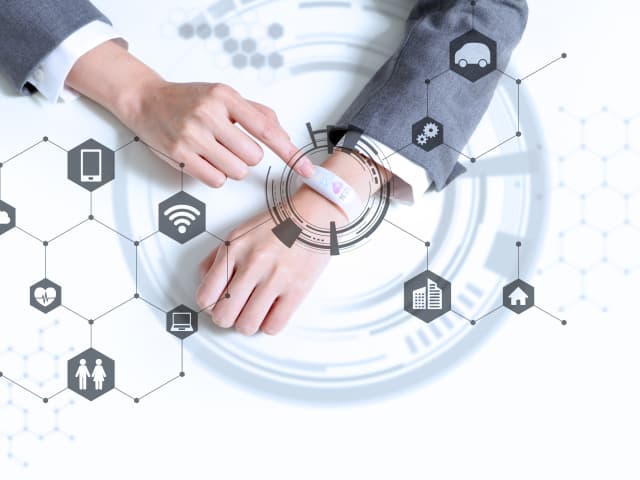
Activity trackers: Activity trackers are wristbands that allow you to monitor your heart rate, calorie expenditure, activity patterns, and body temperature.
Smart Outlets: These allow you to turn on or off any device from afar. You can monitor a device's battery life and receive personalized notifications directly to your smartphone.
Parking sensors: You can check the availability of parking spaces in real time on your cellphones thanks to IoT technology.
Connect Health: A connected healthcare system makes real-time health assessment and patient treatment easier. It aids in the improvement of medical decision-making based on patient data.
Yes, this course is 100% online; you will not be required to attend classes in person. However, you will need appropriate access to the internet and the right technology to access and use the course materials. These materials come in the form of articles, videos, and Q&A knowledge checks. The great news is, therefore, that you can take this course and earn a Certificate of Completion regardless of where you live. Plus, you can also benefit from assisted mentoring and contact with your peers via the course discussion space.
Newsletters & Updates
Subscribe to get the latest tech career trends, guidance, and tips in your inbox.